Logo Link WP
v1.3.0WordPress plugin that enhances your site logo's functionality by adding customizable click behaviors. Left-click directs to your homepage, while right-click leads to your specified assets page.
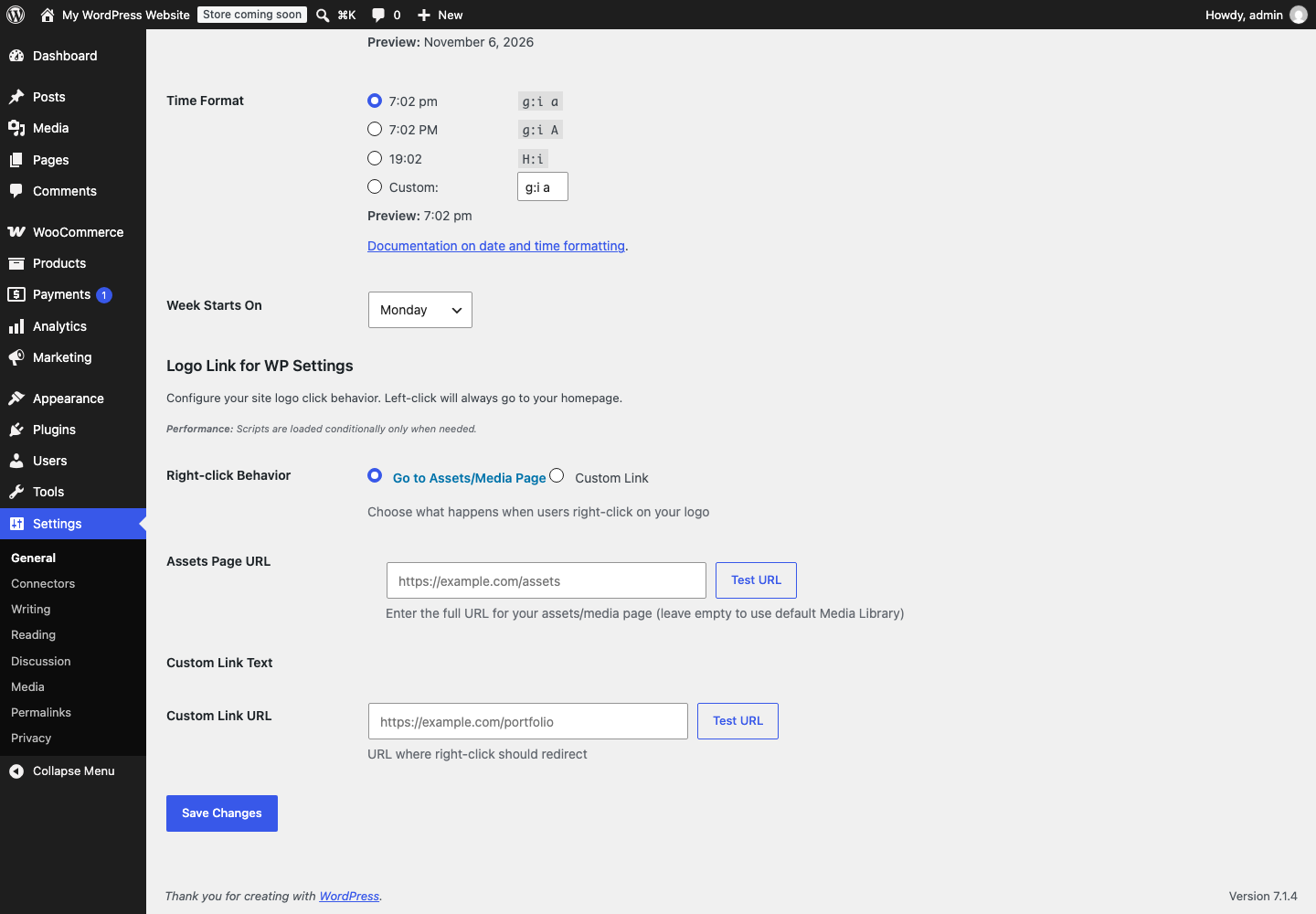
Screenshot
README
Logo Link for WP
A lightweight WordPress plugin that enhances your site logo's functionality by adding customizable click behaviors. Left-click directs to your homepage, while right-click opens a context menu with configurable options.
Features
- Left-click on logo leads to homepage
- Right-click opens a custom context menu with two options:
- Assets Mode: Link to your media/assets page (defaults to Media Library)
- Custom Mode: Link to any custom URL with custom label text
- Conditional script loading for better performance
- Works with most WordPress themes
- Accessible (keyboard navigation, high contrast, reduced motion support)
Installation
- Clone this repository or download the ZIP file
git clone https://github.com/Open-WP-Club/wp-logo-link.git
Upload to your WordPress site:
- Upload the
wp-logo-linkfolder to/wp-content/plugins/ - Or compress the folder and upload via WordPress Admin → Plugins → Add New → Upload Plugin
- Upload the
Activate the plugin through WordPress Admin → Plugins
Configure in Settings → General → Logo Link for WP Settings
Configuration
- Go to Settings → General
- Scroll down to Logo Link for WP Settings
- Choose right-click behavior:
- Assets Mode: Enter your assets/media page URL (or leave empty for Media Library)
- Custom Mode: Enter custom URL and optional link text
- Save changes
Requirements
- WordPress 6.0+
- PHP 8.2+
- Theme with standard WordPress logo classes (
.custom-logo-link,.site-logo, etc.)
License
GPL v2 - see LICENSE for details.
Contributing
- Fork the repository
- Create feature branch:
git checkout -b feature/awesome-feature - Commit changes:
git commit -m 'Add awesome feature' - Push:
git push origin feature/awesome-feature - Open a Pull Request
On this page
Details
- Version
- 1.3.0
- Last repository activity
- October 13, 2026
- License
- Apache-2.0
- Language
- PHP
- Stars
- 1
Compatibility
- WordPress minimum
- 6.0
- WordPress tested up to
- 6.9
- PHP minimum
- 8.2
Declared by the plugin in its source files. Missing information does not indicate compatibility.
WP-CLI
wp plugin install https://github.com/Open-WP-Club/logo-link-wp/releases/download/1.3.0/logo-link-wp.zip --activateContributors

1 contributor
Plugin of the Month
November 2026
Rank Math Automation WPOptimize WooCommerce products for SEO using RankMath
Open-source supporters
These companies help keep our plugins free and maintained.
Meet our supporters →
Sponsor us
Our software is free forever. Sponsorships help us maintain all our plugins and build new tools for the WordPress ecosystem.
Become a SponsorContact us about sponsoringExplore
Related Plugins
Better User Search
Improves the search for users in the admin significantly: Search for first name, last, email and much more of users instead of only nicename.
Rank Math Automation WP
Optimize WooCommerce products for SEO using RankMath
SKU Auto WooCommerce
A WordPress plugin that automatically generates SKUs for WooCommerce products that don't have them. Features bulk generation and customizable SKU patterns.